

Result:
Add emotion, mood, and with softened portraits
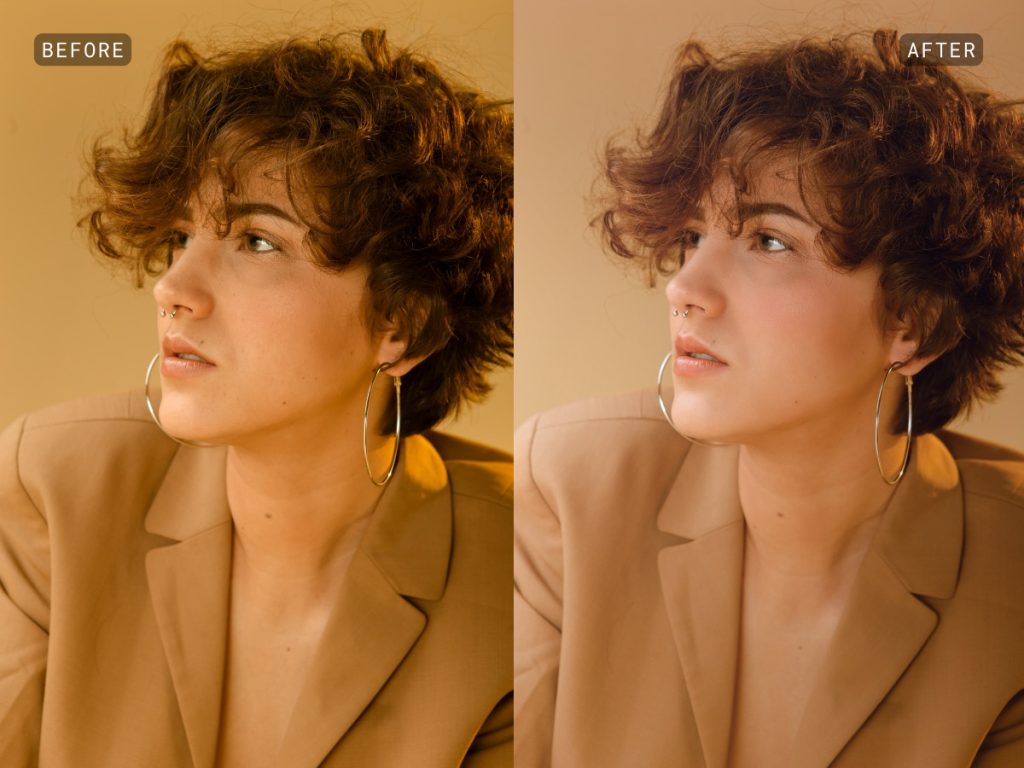
Result:
Add definition and lift portraits on backgrounds with a flattening effect.
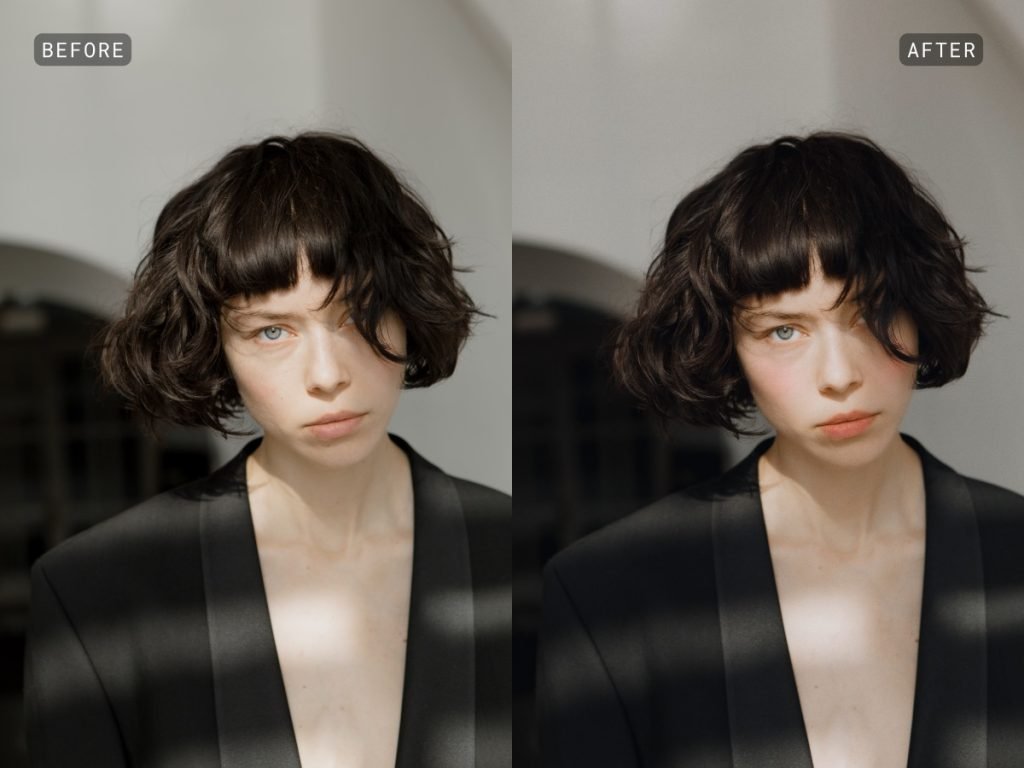
Result:
Reduce harsh lighting and encourage natural skin tones.
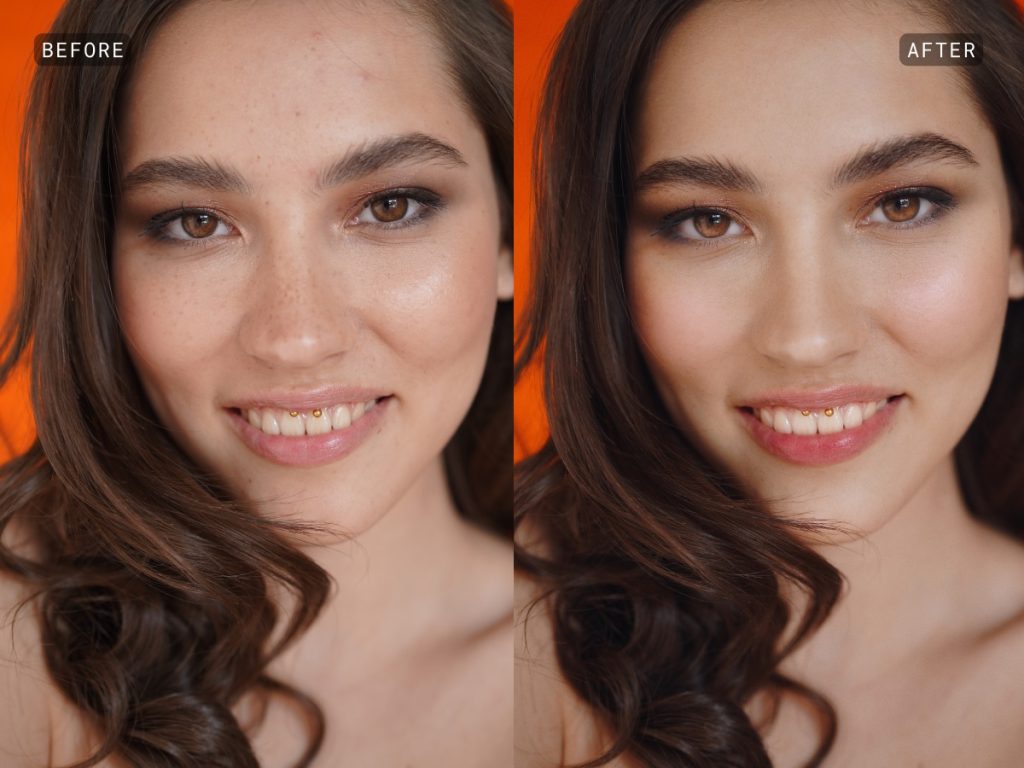
Result:
General skin, eye, brows, mouth enhancements for overall definition of features.
Aperty
Lifetime License Price: $249*
Aperty Key Features
– Advanced Human Segmentation: Easily select people in a group or fine-tune facial features while retaining full control over the results.
– Up to 500 Facial Landmarks: Aperty’s advanced facial recognition capabilities ensure every edit is aligned with your subject’s unique features, providing both detailed and natural-looking edits.
– 3D Face Mesh Technology: Create lifelike adjustments by accounting for the contours, depth, and angles of the face. Enhance your portraits with unmatched realism.
About Aperty
Skylum Software has once again redefined photo editing—this time, with a revolutionary tool for professional portrait photography.
Previously known as “Project Barcelona,” Aperty sets a new standard for next-generation portrait retouching software. By combining advanced AI algorithms with state-of-the-art features, Aperty delivers exceptionally precise and natural-looking results, making it the ideal choice for photographers who demand both quality and efficiency.
Photo Editing with Integrity
Professional portrait editing should focus on subtle enhancements—refining lighting, adjusting color balance, and correcting minor imperfections—while preserving the subject’s natural essence. Traditionally, achieving this delicate balance required time-consuming manual edits. Aperty streamlines the process, offering fast, high-quality results that remain true to the subject’s identity.
The Cutting-Edge Technology Behind Aperty
Aperty stands out in portrait editing thanks to its innovative technologies, ensuring both precision and efficiency
Face Mesh Technology
Aperty’s Face Mesh technology maps up to 4,000 points per face—over 20 times the detail captured by many other editors. This allows for ultra-precise adjustments, preserving natural contours while subtly refining lighting and texture without distorting authenticity.
Face & Body Segmentation
With the ability to detect up to 30 different facial and body areas, Aperty enables precise retouching. Whether refining posture, subtly reshaping features, or smoothing specific areas, the segmentation technology ensures adjustments maintain a lifelike appearance.
Synthetic Data Set Generation
To safeguard user privacy and intellectual property, Aperty leverages AI models trained on synthetic data. This protects original images from unauthorized use—an essential feature for photographers working with high-profile clients or sensitive content.
………….
| Feature | Description |
|---|---|
| Skin Smoothing | Refines skin texture while maintaining natural tones and details, ideal for fashion and wedding photography. |
| Blemish Removal | Removes imperfections like acne and scars while preserving defining features such as freckles and moles. |
| Face & Body Skin Color Correction | Balances skin tones affected by lighting inconsistencies, restoring a natural complexion with simple adjustments. |
| Studio Light Simulation | Simulates up to five artificial light sources in post-production, providing full control over lighting. |
| Presets & LUTs for Instant Color Grading | Applies professionally designed presets with one click, customizable for different moods and aesthetics. |
| Advanced Masking | Allows precise control over specific image areas with AI-generated masks, brushes, gradients, and luminosity adjustments. |
| Makeup Enhancement | Enables precise application of post-production makeup, from subtle blush to dramatic contouring, using Face Mesh and Segmentation technologies. |
The Ultimate Portrait Editing Experience
Aperty isn’t just another editing tool—it’s a game-changer for professional photographers. By blending powerful AI-driven technology with an intuitive workflow, it delivers high-quality, natural-looking results while preserving artistic integrity. Whether you’re retouching wedding portraits, fashion editorials, or commercial headshots, Aperty provides the speed and precision needed to elevate your work to the next level.
Discover the future of portrait retouching with Aperty—where innovation meets authenticity.
Visit Skylum Software for more
Portrait Photographer’s Checklist
Pre-Shoot Preparation
Client Consultation:
- Discuss desired style, mood, and concept for the shoot.
- Determine location and time of day.
- Discuss wardrobe, props, and makeup.
- Create a shot list based on client’s preferences.
Equipment:
- Camera body and lenses (appropriate for desired focal length and aperture).
- Memory cards (formatted and with sufficient space).
- Batteries (charged or extra spares).
- Lighting equipment (if necessary): strobes, softboxes, reflectors, etc.
- Tripod (for stability, especially in low light).
- Camera bag and cleaning kit.
Location Scouting (if applicable):
- Research potential locations.
- Consider lighting conditions, background, and accessibility.
- Obtain necessary permits if required.
On-Shoot Essentials
Camera Settings:
- Aperture priority for controlling depth of field.
- Shutter speed for freezing or capturing motion.
- ISO for adjusting light sensitivity.
- White balance for accurate color rendition.
Composition:
- Rule of thirds: Divide the image into nine equal parts and place subjects at intersections.
- Leading lines: Use elements in the scene to guide the viewer’s eye.
- Background: Ensure it complements the subject and doesn’t distract.
Posing:
- Guide the subject into natural and flattering poses.
- Experiment with different angles and perspectives.
- Encourage relaxation and genuine expressions.
Lighting:
- Use natural light or artificial lighting effectively.
- Consider the direction, quality, and intensity of light.
- Use reflectors or diffusers to modify light.
Capture Variety:
- Shoot a range of shots: close-ups, medium shots, full-body shots.
- Experiment with different angles, perspectives, and compositions.
- Capture candid moments as well as posed shots.
Post-Shoot Tasks
Image Selection:
- Review images carefully and select the best ones.
- Consider technical quality, composition, and emotional impact.
- Create a shortlist for further editing.
Image Editing:
- Adjust exposure, contrast, and color balance.
- Retouch skin imperfections and remove distractions.
- Apply creative effects or filters as desired.
Delivery:
- Prepare final images in the agreed-upon format.
- Provide images to the client in a timely manner.
Additional Tips:
- Build rapport with your subject to create a comfortable atmosphere.
- Be prepared to adapt to unexpected situations.
- Continuously learn and improve your skills.
- Back up your images regularly.
By following this checklist, you can increase your chances of capturing stunning portraits and ensuring a smooth photoshoot experience.